Kamu bisa mendengarkan dan download lagu MP3 Express Scribe Hot-Key Timestamp Time Code Tutorial - Pham Transcription Services secara gratis di lagu123.biz. Jangan lupa untuk membeli kaset dan CD original serta menjadikan lagu ini sebagai ringtone kamu.
Data lagu:
Express Scribe Hotkey Timestamp TimeCode Tutorial
LEARN MORE about transcription and transcription software at
CONDENSED TRANSCRIPT:
This video is on how to insert what are called timestamps or time codes into a Word document using the Hot-Key feature in Express Scribe.
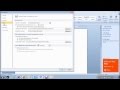
If I click on the expand and expand the screen in Express Scribe, you can see that there are two different Options tabs. Click on Options, scroll down, click on Other, and it brings up this window.
The third tab is the Hot-Keys tab. Click on that, and it brings you to a screen that shows you the hotkeys that have already been established in the program.
Now we want to add a hotkey for Copy Time, so we're going to add, click on Add, and it brings us another screen. The command we want to use is for copy time, so when we click on this arrow, it gives us all the different commands that you have available to you.
Here you can see it says Copy Time. It also, down here, says Copy System Time. We're not going to use that because Copy System Time means to copy the time that it actually is currently right now, the present time.
So again, click on Copy Time, and now we need to establish a hotkey for that command. So we click on Change, and then you're going to press the key or key combination that you want to use for that hotkey.
You might want to use control, the Ctrl button plus a letter or number, or the Alt button plus a number or a letter.
I personally prefer the